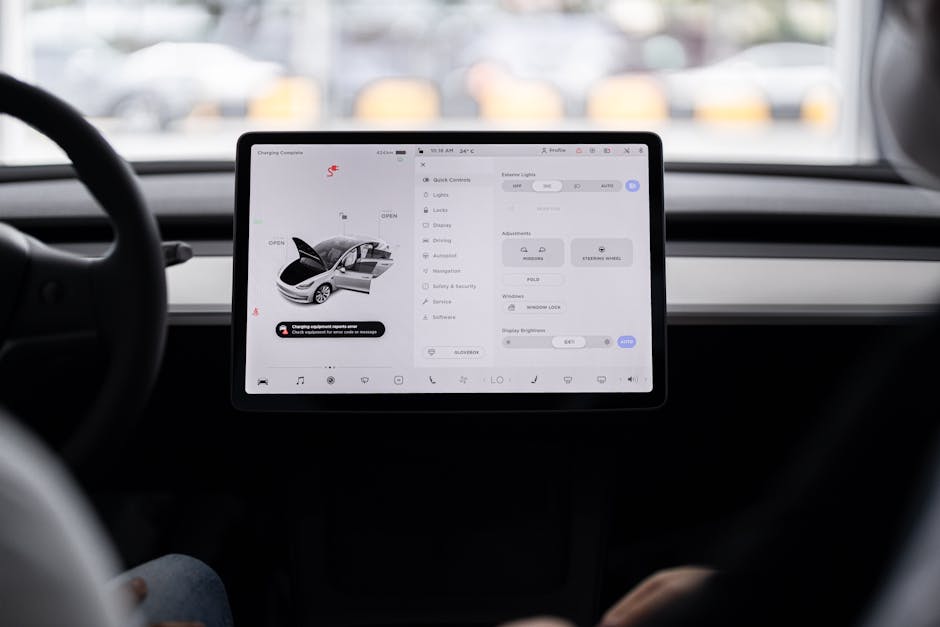
What is a multimodal interface?
A multimodal interface is a system that accepts and delivers information through more than one sensory channel. In a car, this means the driver can interact with navigation, climate control, entertainment, and safety functions using voice, touch, gestures, knobs, and visual displays together. Each mode complements the others, giving the driver several ways to accomplish the same task.
Why drivers need more than a single mode
Driving is a high‑attention activity. Traditional single‑mode controls, such as a steering‑wheel‑mounted button or a single touch screen, force the driver to look away, reach for a knob, or pause while speaking. Each of those actions adds cognitive load, increases reaction time, and raises the risk of error.
Multimodal design reduces that load by letting the driver choose the most convenient mode for the moment. When traffic is dense, a voice command lets the driver keep both eyes on the road. When the car is parked, a touch screen offers the speed of a visual interface. In noisy environments, a tactile knob provides a reliable fallback. The flexibility itself becomes a safety feature.
How multimodal interfaces improve safety
Safety benefits arise from three core principles: reduced visual demand, minimized manual reach, and redundancy.
Reduced visual demand
Visual distraction is the leading cause of accidents. When a driver can say “Set temperature to 72 degrees” instead of scanning a menu, the eyes stay on the road longer. Studies of voice‑controlled infotainment systems show a measurable drop in glance duration compared with touch‑only systems.
Minimized manual reach
Every reach for a button or dial means the driver removes a hand from the wheel. Steering‑wheel‑integrated controls, gesture‑based volume sliders, or voice commands keep both hands on the wheel more often. The reduction in reach distance also shortens the time needed to complete a task, which matters in critical moments.
Redundancy and error recovery
If one mode fails—say the microphone picks up too much background noise—the driver can switch instantly to a tactile knob or a touchscreen. Redundancy prevents a single point of failure from blocking a function, which is especially important for safety‑critical features such as emergency calls or driver‑assistance alerts.
Key technologies that enable multimodal interaction
Implementing a robust multimodal system requires hardware and software that work together seamlessly.
- Microphone arrays and noise‑cancellation processors – Capture speech reliably even when windows are open or the engine is loud.
- Touchscreens with haptic feedback – Provide a tactile sense of button presses without physical buttons.
- Steering‑wheel and console controls – Offer tactile, always‑within‑reach options.
- Gesture sensors – Use infrared or radar to detect hand movements for volume or track changes.
- Head‑up displays (HUD) – Present essential information in the driver’s line of sight, reducing the need to look down.
- Artificial intelligence for context awareness – Determines which mode is most appropriate based on noise level, driver posture, and current task.
Design guidelines that make multimodal systems work
Technology alone does not guarantee a good experience. Designers must follow proven guidelines to avoid creating a confusing or unsafe interface.
- Mode selection should be context‑aware. The system should favor voice when ambient noise is low, but fall back to touch or tactile input when speech recognition confidence drops.
- Feedback must be consistent across modes. A voice command that changes the temperature should be confirmed with a visual cue on the display and a brief audible chime.
- Never overload a single channel. If the driver is already listening to navigation prompts, avoid adding a separate spoken alert for a new function.
- Keep critical controls tactile. Functions such as hazard lights, windshield wipers, and volume are safest when they have dedicated physical controls or distinct haptic feedback.
- Provide easy fallback. A single “press and hold” gesture should instantly switch the system to the next available mode.
Examples of multimodal use cases in everyday driving
Real‑world scenarios illustrate why multimodal design matters.
Navigation updates while traffic builds
When a jam appears ahead, the system can:
- Speak the new route aloud.
- Highlight the altered path on the HUD.
- Allow the driver to confirm the change with a quick swipe on the touchscreen or a “Yes” spoken command.
The driver receives the information without looking away and can respond using the most convenient method.
Climate control in a noisy city
On a busy street, the engine and wind noise may drown out voice input. The driver can instead tap a temperature icon, use a rotary knob on the center console, or make a simple hand‑wave gesture recognized by a proximity sensor. All three actions produce the same result, but the driver picks the easiest one under the circumstances.
Hands‑free phone calls while parked
While the car is stopped, a driver might prefer to use the touchscreen to dial a contact, because there is no need to keep eyes on the road. The same call can be started by saying “Call Sarah” when the vehicle is moving. The system automatically switches the input mode based on vehicle speed.
Impact on driver‑assistance and autonomous features
As vehicles become more automated, the role of the driver shifts from active operator to supervisor. Multimodal interfaces support that transition by giving the human a clear, low‑effort way to intervene.
- Take‑over requests can be delivered via an audible alert, a flashing HUD element, and a vibrating steering wheel. The driver can acknowledge the request with a voice “Ok” or a button press.
- Level‑3 autonomy often requires the driver to resume control within a limited time. Providing multiple acknowledgment channels reduces the chance that a single missed cue leads to an unsafe situation.
- System status monitoring benefits from visual, auditory, and haptic cues. If a sensor fails, the vehicle can display an icon, issue a spoken warning, and generate a subtle steering‑wheel buzz, ensuring the driver notices the problem quickly.
Challenges and pitfalls to avoid
Implementing multimodal interfaces is not without difficulty. Common pitfalls include:
- Inconsistent language. Voice commands that differ from on‑screen options cause confusion. Align terminology across all modes.
- Over‑reliance on a single mode. If a system defaults to voice but fails in a noisy cabin, the driver may become frustrated. Ensure a smooth, automatic fallback.
- Latency. Delayed responses break the mental model of interaction. Optimize processing pipelines for each modality.
- Privacy concerns. Continuous microphone activation raises data‑security questions. Provide clear indicators when the system is listening and allow easy muting.
- Physical ergonomics. Placing touch targets too far from the driver or making gesture zones require exaggerated movements can increase distraction.
Industry standards and regulatory considerations
Automakers must align multimodal designs with existing safety standards.
- ISO 26262 – Functional safety for road vehicles. Any interface that can affect vehicle control must be verified for safe operation.
- SAE J2945/1 – Driver monitoring and alerting. Multimodal feedback should meet the timing and clarity requirements defined for driver alerts.
- UN/ECE Regulation 136 – Voice‑controlled infotainment. Sets limits on driver distraction during voice interactions.
- Data protection laws – GDPR in Europe and similar regulations elsewhere require explicit consent for microphone use and clear data handling policies.
Compliance ensures that the convenience of multimodal interaction does not compromise legal safety obligations.
Future directions without speculative claims
Current research focuses on refining the balance between modalities. Improvements in low‑noise speech recognition, more precise gesture detection, and adaptive UI scaling based on driver workload are already being piloted in production vehicles. As the technology matures, manufacturers are likely to expand the catalog of redundant controls, making the overall driving experience more resilient to environmental variables.
Practical steps for manufacturers and developers
For teams planning a new vehicle or a retrofit, the following roadmap can guide implementation.
- Assess driver tasks. Map out which functions are used most frequently and under what conditions (city, highway, parking).
- Choose complementary modalities. Pair voice with tactile for high‑frequency tasks; add gesture for low‑frequency, non‑critical functions.
- Prototype with real drivers. Conduct usability tests that vary noise levels, lighting, and driver posture to verify that each mode works as intended.
- Implement context awareness. Use sensor data (speed, cabin noise, driver gaze) to automatically prioritize the most appropriate mode.
- Validate safety compliance. Run the design through ISO 26262 and SAE J2945/1 assessment processes before final integration.
- Iterate on feedback. After launch, collect anonymized usage data to see which modalities are preferred and where failures occur, then refine accordingly.
Conclusion
Multimodal interfaces address the fundamental tension in automotive design: the need for rich, connected functionality while keeping the driver’s attention on the road. By offering voice, touch, gesture, and tactile options in a coordinated system, manufacturers can lower cognitive load, improve safety, and make vehicle controls more accessible under diverse driving conditions. Successful implementation requires careful design, adherence to safety standards, and ongoing testing. When done correctly, multimodal interaction becomes an invisible layer that supports the driver rather than distracting them.
