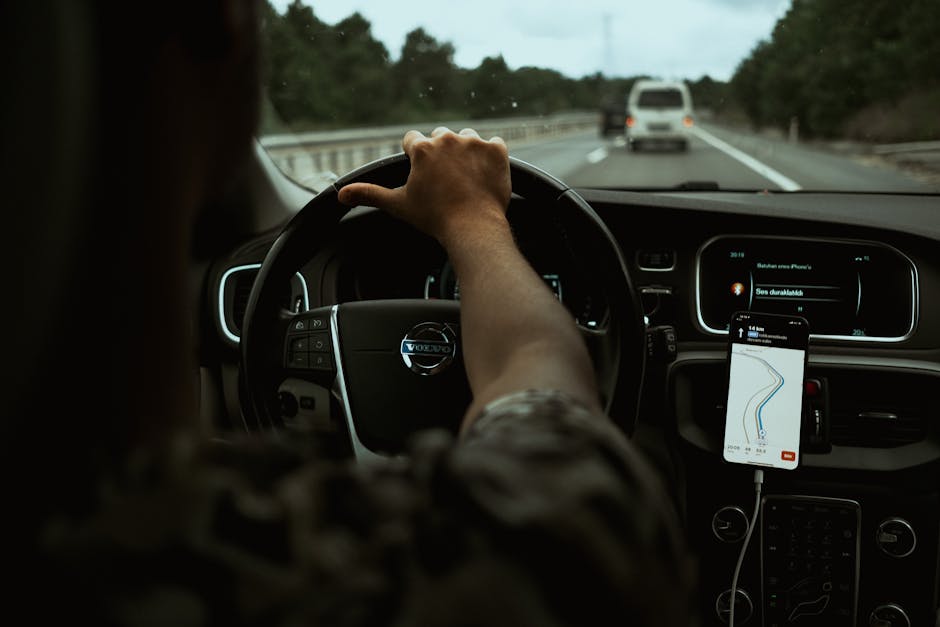
What makes a car “connected”?
Modern vehicles are no longer isolated machines; they are part of an internet‑enabled ecosystem. A “connected car” can exchange data with external services, other vehicles, and cloud platforms in real time. The connection is usually provided through a built‑in cellular modem, Wi‑Fi hotspot, or a combination of both. This link lets the car receive traffic updates, stream music, download software patches, and answer driver queries.
Because the driver’s attention is the most limited resource while the vehicle is moving, manufacturers design the user experience to keep cognitive load low. Navigation, messaging, and search functions share the same display and audio channels, so they must cooperate rather than compete.
How does the car’s system architecture keep everything separate?
Behind the glossy screens sits a layered software architecture similar to a smartphone, but with stricter safety constraints. The typical stack includes:
- Hardware abstraction layer (HAL): translates raw sensor data (GPS, radar, cameras) into a common format.
- Real‑time operating system (RTOS): guarantees that safety‑critical tasks such as braking or steering remain responsive.
- Middleware services: manage connectivity, data storage, and inter‑process communication.
- Application layer: hosts navigation, messaging, voice‑assistant, and infotainment apps.
Each domain runs in its own sandbox. The navigation app can request a route, but it cannot directly change the vehicle’s motion controls. Messaging and search operate as separate services that communicate through well‑defined APIs. This isolation prevents a bug in a third‑party music app from affecting steering or braking.
Which sensors feed the navigation system, and why does that matter?
Navigation in a connected car relies on three main data sources:
- Global Navigation Satellite System (GNSS): provides latitude, longitude, and altitude. Modern cars use multi‑constellation GNSS (GPS, GLONASS, Galileo, BeiDou) for better coverage.
- Inertial Measurement Unit (IMU): measures acceleration and rotation, allowing the system to estimate position during short GPS outages, such as tunnels.
- Vehicle‑to‑Infrastructure (V2I) messages: when available, traffic lights or road‑side units broadcast signal phase and timing, helping the navigation engine anticipate stops.
The fusion of these inputs yields a highly accurate, low‑latency position estimate. Accurate positioning lets the car overlay turn‑by‑turn instructions on a high‑resolution map without constantly asking the driver to confirm the route.
How does the system decide when to speak, when to display, and when to stay silent?
Drivers can be overwhelmed if visual and auditory cues clash. Connected cars follow a hierarchy of output channels:
- Critical safety alerts: audio chimes, heads‑up display (HUD) warnings, or haptic steering‑wheel feedback take precedence.
- Navigation prompts: spoken directions are issued just before a maneuver, while a concise visual cue appears on the instrument cluster.
- Messaging and search results: these are treated as non‑essential. The system defaults to a visual card that the driver can glance at; spoken read‑out is optional and usually requires an explicit voice command.
Most manufacturers let the driver customize the balance. A “Do Not Disturb while moving” mode can suppress all non‑essential speech, allowing the driver to focus on the road.
What role does voice control play in reducing visual load?
Voice assistants are the primary tool for hands‑free interaction. They work through a pipeline of four stages:
- Wake word detection: a low‑power DSP constantly listens for “Hey Car” or a similar phrase.
- Speech‑to‑text (STT): the captured audio is streamed to a cloud service or processed locally, depending on connectivity and privacy settings.
- Intent parsing: natural‑language processing determines whether the driver wants navigation, a text message, a phone call, or a web search.
- Action execution: the appropriate app receives the parsed command and returns a response, either spoken back via text‑to‑speech (TTS) or shown on screen.
Because the voice pipeline can operate offline for basic commands, the car remains functional even when cellular service is lost. Advanced queries – such as “Find coffee shops with outdoor seating” – fall back to the cloud, where richer data and up‑to‑date business listings reside.
How are messages handled without distracting the driver?
Messaging systems in connected cars integrate with the driver’s smartphone through Android Auto, Apple CarPlay, or native proprietary apps. The workflow is:
- Incoming message arrives on the phone.
- The car’s bridge app receives a copy via Bluetooth or Wi‑Fi.
- The message is displayed as a discreet banner on the infotainment screen.
- If the driver issues a voice command (“Read my messages”), the system reads the latest text using TTS.
Key design choices keep the driver safe:
- Message truncation: only the first line is shown unless the driver explicitly expands it.
- Priority filtering: messages marked as “high importance” (e.g., from emergency contacts) can trigger a louder alert, while promotional texts are ignored.
- Reply shortcuts: the driver can reply with pre‑written phrases (“On my way”) or dictate a custom reply, eliminating the need to type.
What about searching for information while on the road?
Search functions are split into two categories:
Local search
When the car’s navigation database is offline, the system can still perform simple searches within the stored map – for example, “Find the nearest gas station.” The query runs on the vehicle’s CPU, using the cached POI (point‑of‑interest) list.
Cloud‑based search
For richer results – such as restaurant reviews, opening hours, or live event listings – the car contacts a cloud endpoint. The request includes the driver’s location (with consent) and the search terms. The cloud returns a ranked list, which the car presents in a scrollable card view. The driver can then ask for directions to a chosen result, at which point the navigation engine takes over.
To avoid overload, the system enforces a “search timeout” of a few seconds. If the response is not ready, the car informs the driver: “Search taking longer than usual; try again later.” This prevents the driver from waiting indefinitely while distracted.
How do visual displays stay readable without clutter?
Connected cars typically have three display zones:
- Instrument cluster (driver’s view): shows speed, fuel, and essential navigation cues such as next turn arrows.
- Center infotainment screen: hosts full‑screen maps, media controls, and message cards.
- Heads‑up display (HUD) or augmented‑reality windshield projection: projects minimal navigation information directly in the line of sight.
Design guidelines recommend:
- Using large, high‑contrast icons for critical actions.
- Limiting the number of concurrent overlays to two – for instance, a navigation turn arrow plus a safety warning.
- Applying “progressive disclosure”: only the most relevant data appears automatically; additional details require a deliberate tap or voice command.
What safety standards govern these interactions?
Automotive software must meet functional safety and human‑machine interface (HMI) regulations. Key references include:
- ISO 26262: defines safety lifecycle for electrical and electronic systems in road vehicles.
- ISO 15005: outlines requirements for driver‑vehicle interface in road‑vehicle information systems.
- UNECE Regulation No. 46: covers driver distraction and mandates that in‑vehicle infotainment shall not impair safe driving.
Compliance means the navigation, messaging, and search modules undergo rigorous testing. For example, an ISO 26262 risk assessment would label a navigation voice prompt as “non‑hazardous,” while an unexpected loud alarm would be classified as “potentially hazardous” and require redundancy.
How do manufacturers balance data privacy with cloud services?
Connected cars collect location, usage patterns, and voice recordings. Regulations such as the EU’s GDPR and California’s CCPA require explicit consent for data processing. Most systems implement:
- Opt‑in toggles: drivers enable “share driving data” or “voice assistant” separately.
- Edge processing: speech is transcribed locally when possible; only the text is sent to the cloud.
- Anonymization: vehicle identifiers are stripped before analytics are performed.
These practices reduce the risk of personal data leakage while preserving the convenience of cloud‑based search and traffic updates.
What happens when connectivity is lost?
Connectivity outages are common in rural areas or tunnels. The car’s architecture anticipates this with graceful degradation:
- Navigation: continues using stored map tiles and the IMU for dead‑reckoning. When GPS reappears, the position is corrected.
- Messaging: incoming messages are queued on the phone; the car displays a “No network” notice.
- Search: falls back to local POI database; cloud queries return an error message that prompts the driver to try again later.
Because critical safety functions never rely on external data, losing connectivity does not compromise vehicle control.
How do developers test these systems for driver distraction?
Testing combines simulation, on‑road trials, and user‑experience studies:
- Driving simulators: replicate road conditions while participants interact with navigation and messaging. Eye‑tracking measures how often drivers glance away from the road.
- On‑road field tests: instrumented vehicles collect data on glance duration, voice command latency, and error rates.
- Human factors labs: participants perform secondary tasks (e.g., answering a call) while the system delivers prompts. Results inform HMI refinements such as timing of spoken directions.
Regulatory bodies often require a minimum “glance time” – for example, no more than 2.5 seconds per visual cue – before approving a system for production.
What practical steps can drivers take to keep the experience safe?
Even the best‑designed system can become a source of distraction if misused. Drivers can reduce risk by:
- Enabling “Do Not Disturb while driving” to silence non‑essential audio.
- Setting up voice shortcuts for common destinations (home, work) before starting a trip.
- Reviewing messages only after the vehicle has stopped, unless the content is urgent.
- Keeping the infotainment screen’s brightness low at night to avoid glare.
- Regularly updating the car’s software to receive the latest safety patches.
