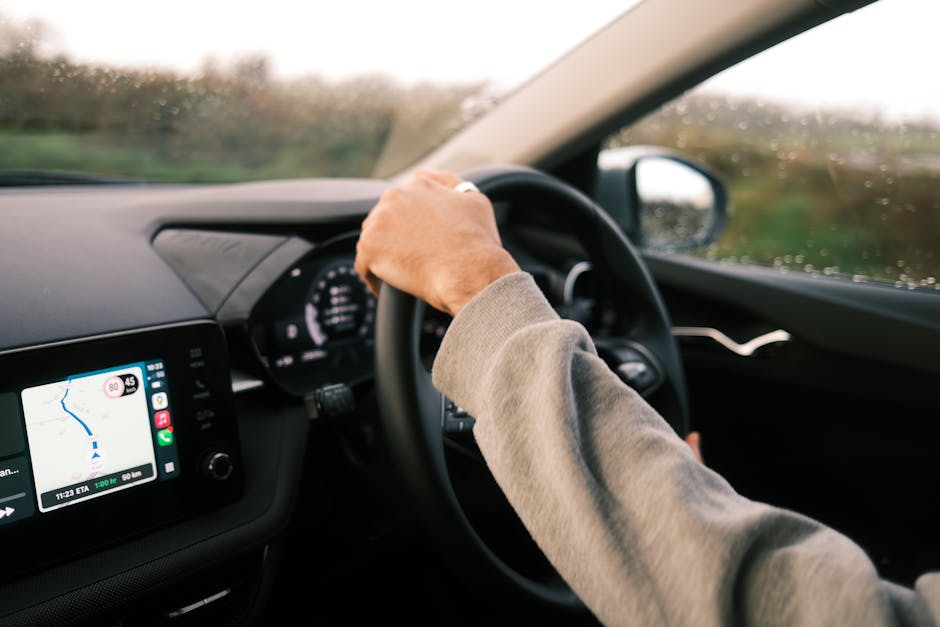
Touchscreen infotainment systems have become standard in many new vehicles. They replace buttons, knobs, and physical dials with large glass panels that can display maps, music, climate control, and vehicle‑status information. While the technology looks modern and offers a sleek interior, it also introduces new risks for drivers.
Why Car Manufacturers Adopt Touchscreens
Automakers cite three main reasons for moving to touch interfaces:
- Design flexibility. A single screen can show different layouts for navigation, media, or vehicle settings, allowing designers to change the look without re‑tooling hardware.
- Cost efficiency. One hardware component replaces dozens of mechanical switches, reducing parts inventory and assembly time.
- Consumer expectations. Smartphones and tablets have trained users to expect touch as the default way to interact with digital content.
These motivations are legitimate, but they do not automatically guarantee a safe driving experience. Safety is determined by how the driver interacts with the system, not just by the presence of a screen.
How Touchscreens Change Driver Behavior
When a driver needs to change a setting—say, turn on the air conditioner—the action requires a visual search, a hand movement to the screen, and a series of taps. Each of these steps adds cognitive load and takes eyes off the road.
Visual Attention Shifts
Research on driver distraction shows that looking away from the forward view for more than 2 seconds significantly raises crash risk. A typical touchscreen interaction lasts 2–5 seconds, depending on menu depth. In real‑world driving, the driver may repeat the task several times in a single trip, compounding the risk.
Motor Coordination Challenges
Physical knobs provide tactile feedback. A driver can often turn a dial without looking, because the shape of the control tells the hand how far to turn. Touchscreens lack this feedback; a driver must look at the screen to confirm that the correct button was pressed. The lack of “muscle memory” makes the task more demanding.
Increased Cognitive Load
Menus on a touchscreen are layered. To reach a climate setting, a driver may need to tap “Home,” then “Climate,” then “Fan Speed.” Each tap requires a decision, a visual confirmation, and a physical action. This chain of decisions occupies working memory, which otherwise would be used for situational awareness, such as monitoring traffic signals.
Empirical Evidence on Safety Impacts
Several studies have quantified the distraction caused by in‑vehicle touch interfaces:
- A 2021 University of Michigan Transportation Research Institute (U-M TRI) test found that drivers using a touchscreen for navigation took 1.5 seconds longer to respond to a sudden braking event compared with drivers using a rotary knob.
- The National Highway Traffic Safety Administration (NHTSA) reported that in‑vehicle touchscreen use was a factor in 5 % of distraction‑related crashes in model year 2020‑2022 cars.
- European Union research published in Accident Analysis & Prevention observed a 12 % increase in lane‑departure events when drivers interacted with multi‑step touchscreen menus while driving on a highway simulator.
These figures are not outliers; they appear consistently across North American, European, and Asian research programs. The consensus is clear: touchscreens add measurable distraction.
Design Shortcomings That Exacerbate Risks
Not all touchscreens are created equal. Safety problems often stem from specific design choices rather than the technology itself.
Menu Depth and Complexity
Every additional layer in a menu adds at least one extra glance. Systems that require more than three taps for a common function are especially problematic. For example, selecting “rear‑window defrost” should be a single tap, not a series of submenu selections.
Poor Visibility in Varying Light
Glare from sunlight can wash out the display, forcing the driver to squint or reposition the seat. Some manufacturers use low‑contrast colour schemes that are hard to read at night without the dashboard lights on, prompting the driver to increase interior lighting and cause additional glare.
Lack of Physical Separation
When a touchscreen occupies the entire centre console, the driver’s hand must travel a longer distance to reach controls that were once within easy reach. This movement pulls the driver’s torso away from the steering wheel, reducing control precision in emergency situations.
Inadequate Tactile Feedback
Some systems incorporate haptic vibration when a button is pressed, but the feedback is often too subtle to replace the certainty of a mechanical click. Without a clear sensation, drivers may hesitate, look longer, or press the wrong area.
What Regulations and Guidelines Say
Regulators have begun to address touchscreen safety, but standards are still evolving.
- ISO 26262—the functional safety standard for road vehicles—covers electronic systems but does not prescribe UI design specifics.
- The UNECE WP.29 regulation on “Advanced Driver‑Assistance Systems” includes a clause on “human‑machine interface (HMI) design” that requires “minimisation of driver distraction,” but enforcement varies by market.
- The U.S. FMVSS 111 focuses on rear‑view visibility and does not address infotainment devices, leaving a gap in mandatory safety testing.
Because existing standards are vague, manufacturers often rely on internal ergonomic research rather than regulatory mandates. This results in wide variation in safety performance across brands.
Mitigation Strategies for Safer Touchscreen Use
Both automakers and drivers can take steps to reduce the safety impact of touchscreens.
For Automakers
- Limit menu depth. Keep the most frequently used functions reachable within two taps.
- Provide dedicated physical controls. Retain knobs for climate, volume, and cruise control, reserving the screen for less‑critical tasks.
- Integrate voice commands. Allow drivers to change settings hands‑free, with clear speech‑recognition feedback.
- Use adaptive UI. Detect vehicle speed and simplify the interface at higher speeds, hiding non‑essential options.
- Implement stronger haptic feedback. Provide a noticeable vibration or click when a button is selected.
- Improve display readability. Use high‑contrast themes, anti‑glare coatings, and auto‑brightness that adjusts to ambient light.
For Drivers
- Set up navigation and climate controls before you start moving.
- Use voice activation whenever available.
- Avoid adjusting infotainment while in heavy traffic or on high‑speed roads.
- Keep the screen clean; fingerprints can reduce clarity and increase glance time.
- If a function is difficult to reach, consider aftermarket physical buttons that can be programmed to trigger touchscreen actions.
Comparing Touchscreen vs. Physical Controls: A Practical View
| Aspect | Physical Controls | Touchscreen |
|---|---|---|
| Ease of use while driving | High – tactile feedback, often operable by feel | Low – requires visual confirmation |
| Design flexibility | Limited – each function needs its own component | High – software can change layout instantly |
| Manufacturing cost | Higher – many unique parts | Lower – single screen reduces parts count |
| Upgradability | Low – hardware changes required | High – OTA software updates can add features |
| Driver distraction risk | Generally lower | Generally higher, especially with deep menus |
The table shows that the trade‑off is not purely about cost or aesthetics; safety considerations remain decisive.
Future Directions and Emerging Technologies
Vehicle makers are exploring alternatives that aim to keep the benefits of digital interfaces while reducing distraction.
- Heads‑up displays (HUDs) project essential information onto the windshield, keeping the driver’s eyes forward.
- Augmented‑reality (AR) navigation overlays turn‑by‑turn directions on the road view, eliminating the need to glance at a map.
- Advanced voice assistants that can handle complex commands, such as “Set the rear seats to 68 °F and play jazz,” reduce reliance on touch input.
- Haptic steering wheels that deliver tactile alerts for navigation or safety warnings, allowing drivers to receive cues without looking away.
These technologies are still emerging, and their real‑world safety benefits are under study. However, they illustrate a broader industry shift toward “eyes‑on‑the‑road” interaction models.
Bottom Line
Touchscreen infotainment systems bring clear advantages in design and functionality, but they also introduce measurable distraction that can compromise safety. The problem is not the screen itself; it is the way menus are structured, the lack of tactile cues, and the tendency to rely on visual attention for routine actions.
Regulators are beginning to address HMI safety, but most of the responsibility sits with manufacturers to design intuitive, low‑depth interfaces and with drivers to use the technology responsibly. By limiting menu complexity, retaining critical physical controls, and embracing voice or HUD alternatives, the industry can preserve the benefits of digital infotainment without sacrificing safety.
